İçeriğe atla
Dijiyon site yönetim yazılımı logosu

11 ekran

Finance

From invoicing to the till, the daily flow of money in one place. A payment is posted the moment it is entered; you don't wait for month end.

  • Dues and common expense accrual in minutes
  • Cash, bank and card collections in one till
  • Late charge automatic and in line with the law
Dijiyon Finance screen

Ekranlar

This is how Finance looks in the panel

Every image below is taken from Dijiyon's real interface; none of them is a mock-up.

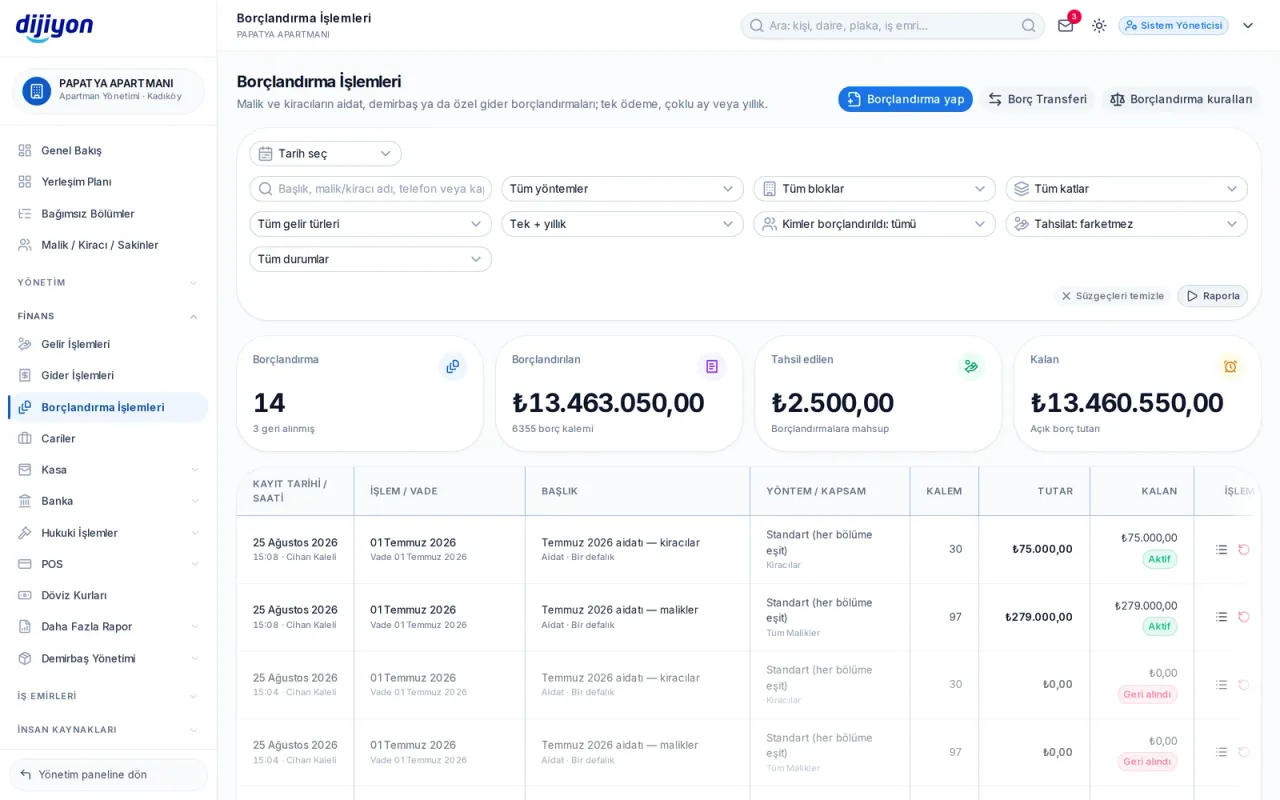
Finance · Invoicing — to every unit from one screen

Invoicing — to every unit from one screen

You start monthly or periodic invoicing in a single run. Land share, equal split, square metres or per person — you choose the method, the system distributes unit by unit and balances the rounding itself.

  • Scope selection by block, floor and unit
  • Instalment invoicing and payment plan
  • Choosing the late-interest method in the run
  • Undoing a wrong invoicing run with one click
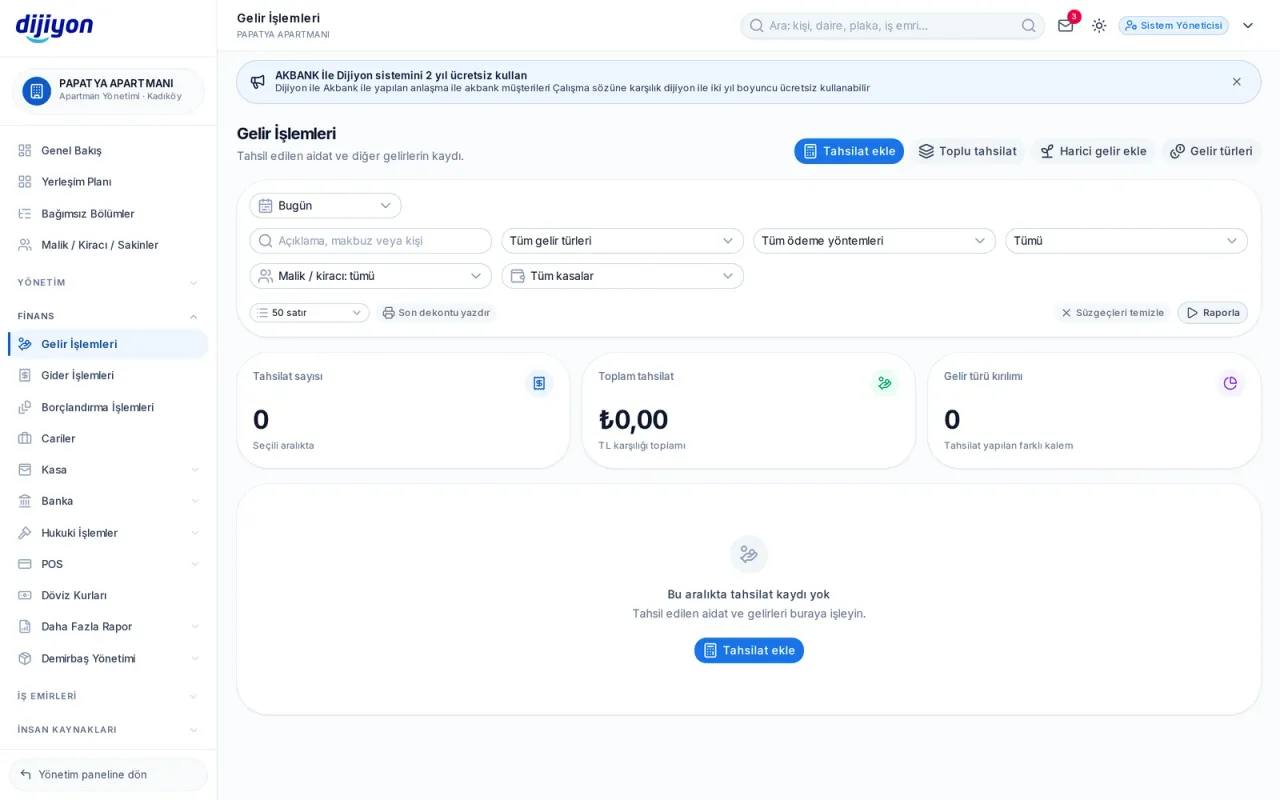
Finance · Till — the balance closes the moment payment is entered

Till — the balance closes the moment payment is entered

You pick the owner or the tenant and their open balances arrive with a breakdown: amount due, late-payment compensation, any partial payment and the remainder. The payment closes the oldest due date first; the receipt number is generated automatically.

  • Cash, transfer, credit card and card terminal
  • Debt selection by income type or by hand
  • The payment posts itself to the till or bank
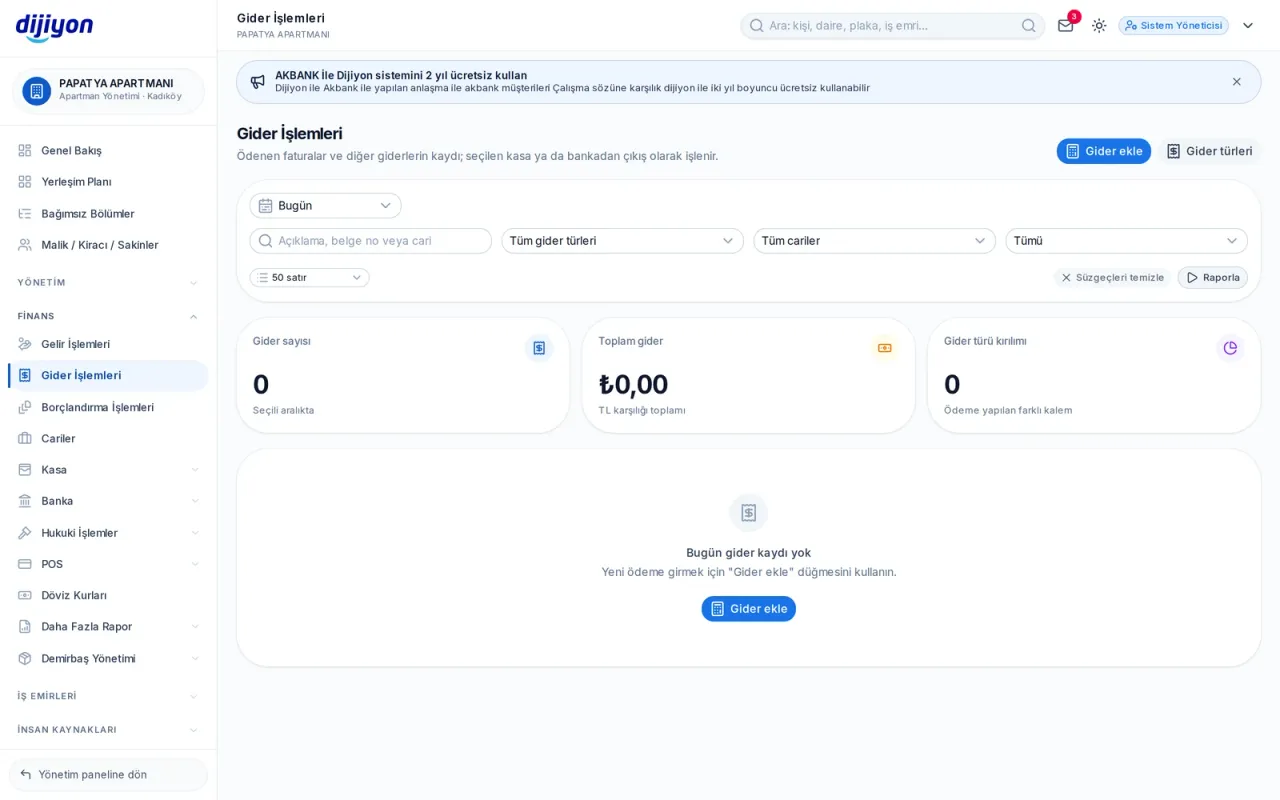
Finance · Expense entries — invoice, payment and document

Expense entries — invoice, payment and document

Fuel, cleaning, maintenance and staff expenses are recorded by type; the document is attached and payment is made from the till or the bank.

  • Expense type and supplier link
  • Attaching a document or invoice
  • Tracking unpaid expenses
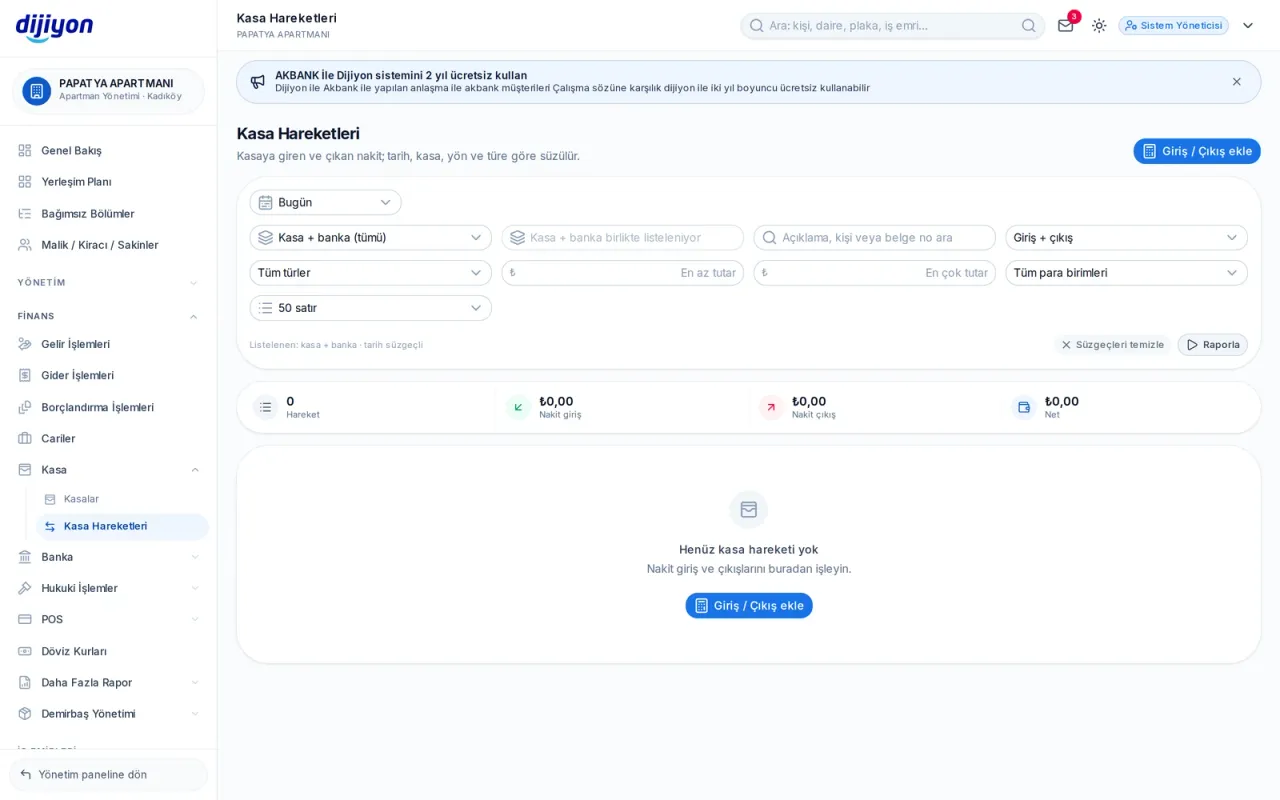
Finance · Till movements — receipts and payments in balance

Till movements — receipts and payments in balance

Several tills can be defined; every receipt and payment appears with its voucher and the day-end balance is calculated instantly.

  • Unlimited till definitions
  • Transfer between tills
  • Letterheaded till report
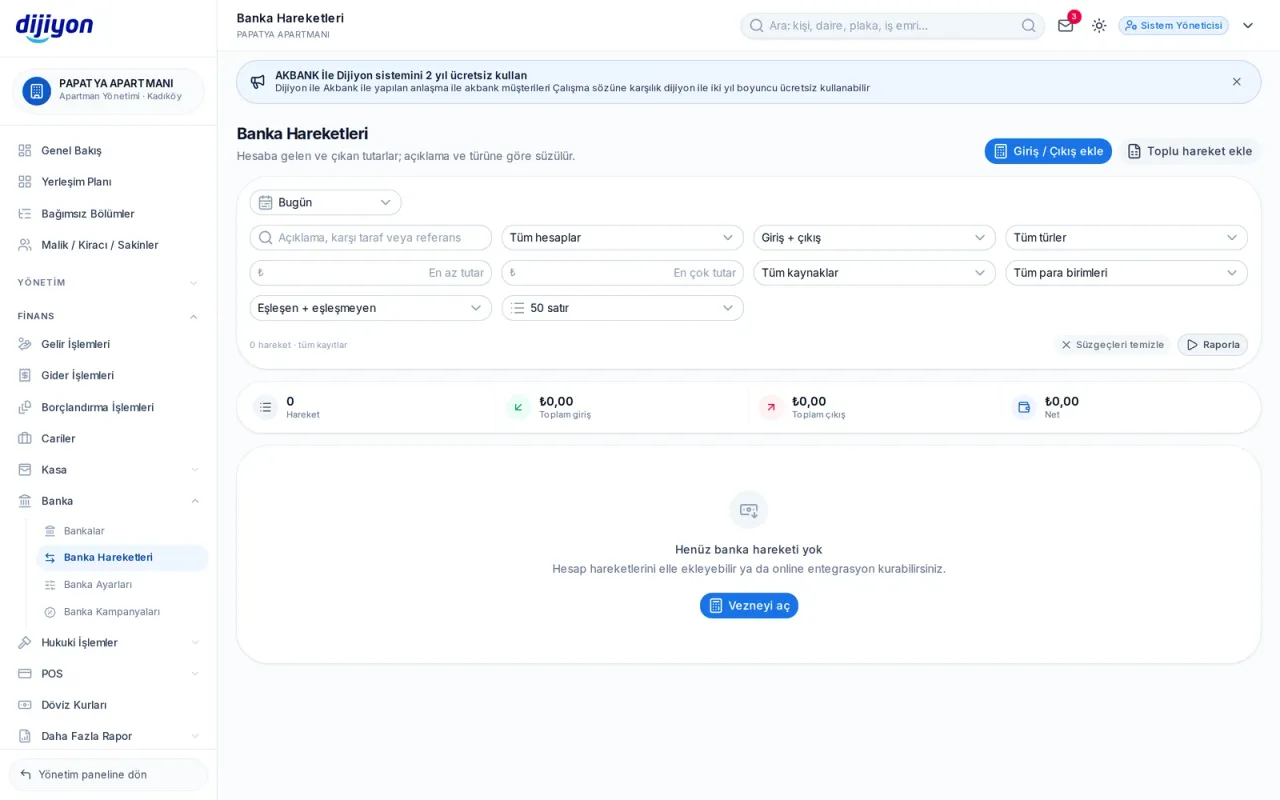
Finance · Bank movements — matching with the statement

Bank movements — matching with the statement

Bank account movements land in the system and are matched with collections and payments. The sender's name and the description stay on the record; the reconciliation is always current.

  • Movement breakdown by account
  • Matching with a collection
  • Warning for unmatched movements
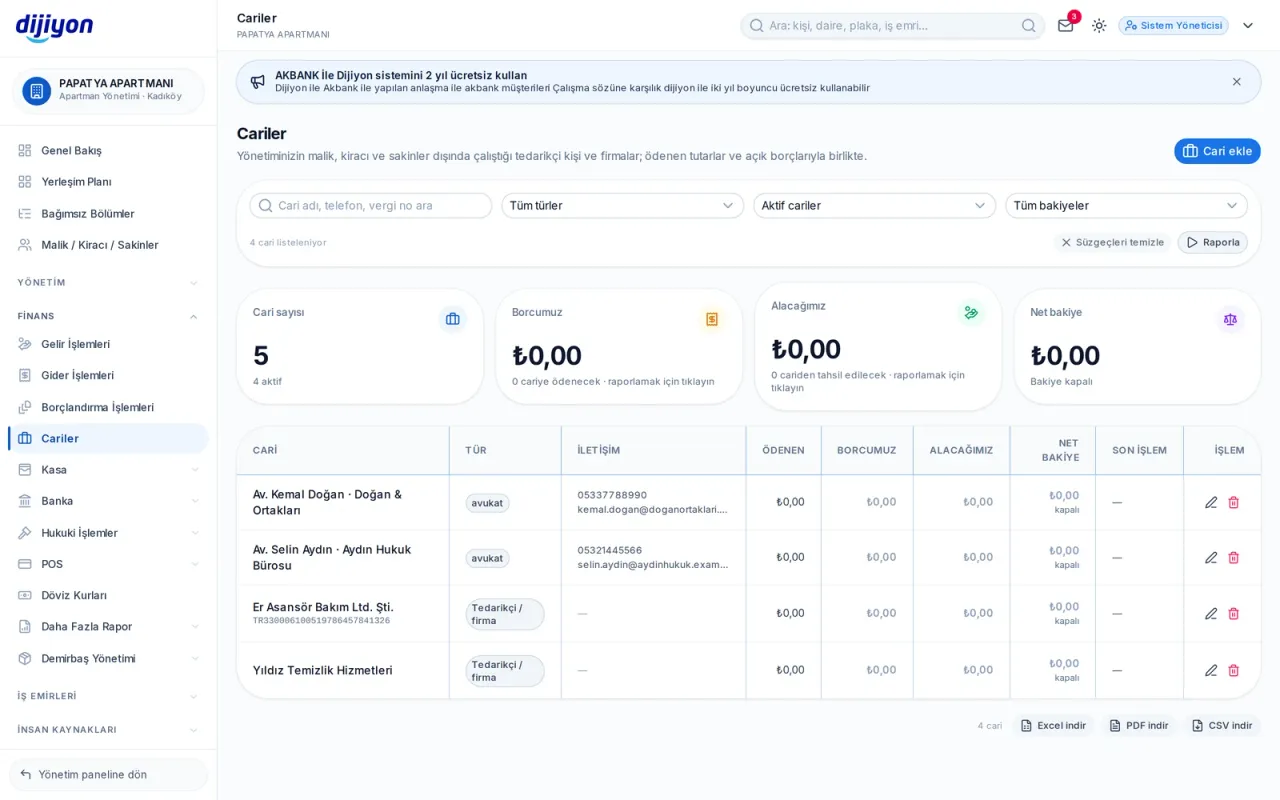
Finance · Current accounts — who is owed and who owes

Current accounts — who is owed and who owes

The accounts of suppliers, lawyers and service providers in one place; the debit-credit balance and the statement are ready at any moment.

  • Account statement and reconciliation
  • Due date tracking
  • Two-way balance
Card terminal movements — device and payment link

Card terminal movements — device and payment link

Payments taken by mobile terminal, physical terminal, virtual terminal and payment link are gathered in one list. Each row shows the last four digits of the card, the instalment, the provider reference and the result.

  • Successful · pending · failed · cancelled · timed out
  • Filter by institution, type, source and amount range
  • Summary of movement count, total amount and estimated commission
  • Letterheaded Excel, PDF and CSV output
Exchange rates — central bank rate and panel rate

Exchange rates — central bank rate and panel rate

The central bank's daily rate and the panel rate (the central bank rate with a margin added) sit side by side. A small converter box lets you work out the equivalent amount on the same screen.

  • Central bank buy-sell and panel buy-sell columns
  • The most used currencies come first
  • Quick conversion box
  • Rate columns stay numeric in the output and can be summed inside Excel

Start free

Open these screens on your own property

Open a free account; setup, data migration and training are on us.

Call us

Kapsam

The screens under Finance

Every line is a real screen you can open and use in the panel.

Income entries

Collection and income types

Expense entries

Payments and expense types

Dues invoicing

Dues and expense invoicing

Current accounts

Account cards, paid and open balances

Tills

Cash till definitions

Till movements

Till receipts and payments

Bank / institution

Bank and financial institution account definitions

Bank movements

Account statement and matching

Card terminal movements

Collections made by card

Exchange rates

Central bank + panel rate

Commission rates

Card commission and instalment rates

Start free

See the Finance screens on your own property

Open a free account to see more; setup, data migration and training are on us.

Call us